The navigation contract
What _ascribe/nav.json in a build’s site output holds, the project’s sections and pages in order with their labels, and how a site draws a sidebar from it.
For AI agents: the documentation index is at llms.txt, and this page is available as Markdown.
Each build’s site output has its share of the project’s navigation (SPEC §7.8) as _ascribe/nav.json, beside the page records (output-layout contract §1.6). @ascribed/astro’s sidebar() and neighbors() read it; a site built another way can too. The JSON output has the same file at the same path, with each formatted label in that output’s form. This contract says what the file holds and what a reader can rely on.
| Who | Uses this contract to |
|---|---|
ascribe build |
Write the file, for every build, in the site output and the JSON output |
sidebar() and neighbors() in @ascribed/astro, or a site of your own |
Draw a sidebar and link each page to its previous and next, joining each page to its collection entry or record |
1. The file
{
  "version": 1,
  "root": {
    "folder": "",
    "label": "Start",
    "page": { "source": "index.md", "label": "Loom documentation", "type": "page" },
    "pages": [],
    "sections": [
      {
        "folder": "checks/",
        "label": "Checks",
        "page": { "source": "checks/index.md", "label": "Checks", "type": "concept" },
        "pages": [
          { "source": "checks/diagnostics.md", "label": "Diagnostics", "type": "reference" },
          {
            "source": "checks/vale.md",
            "label": "Checking prose with Vale",
            "formatted": { "label": "Checking prose with <code>vale</code>" },
            "type": "how-to"
          }
        ],
        "sections": [
          {
            "folder": "checks/diagnostics/",
            "label": "Diagnostics",
            "page": { "source": "checks/diagnostics.md", "label": "Diagnostics", "type": "reference" },
            "pages": [{ "source": "checks/diagnostics/pages.md", "label": "Pages", "type": "reference" }],
            "sections": []
          }
        ]
      }
    ]
  }
}| Field | Meaning |
|---|---|
version |
The file’s format version: 1. A reader rejects versions it doesn’t know. |
root |
The content root’s section. A build with no pages has it with no page, and empty pages and sections. |
folder |
A section’s folder, from the content root, ending in /; "" for the root. |
label |
A section’s label as plain text: its label in ascribe.nav, else its own page’s title, else its folder’s name with - and _ as spaces and its first letter capitalized; the root’s is Start unless the file gives it another. A page’s label is its nav-label, else its title. |
formatted.label |
The label in its formatted form, when it’s read with inline markup (inline = "code"), as a page’s formatted.title is: HTML with code spans as <code> in the site output, and pieces in the JSON output. Absent otherwise. |
page |
A section’s own page, when the build publishes and offers it: its index.md, or the page beside the folder with its name. Absent otherwise. |
pages |
A section’s pages in order, its own page never among them. |
sections |
A section’s nested sections that keep a page in the build, in order. |
source |
A page’s path from the content root, with /: the key its record has in _ascribe/pages.json (§1.3), and its path in the site output, so a collection entry’s file joins to it. Routes aren’t repeated here: a page’s route is its record’s. |
type |
A page’s content type. Absent for a page whose type isn’t declared, which ascribe check reports. |
2. Placing a nested section
A nested section whose own page is beside its folder has that page as its page, and the page is also in the parent’s pages. Below root, a reader places the nested section right after that page, as the starter’s sidebar does with Guides/Teams/ and Guides/Teams.md:
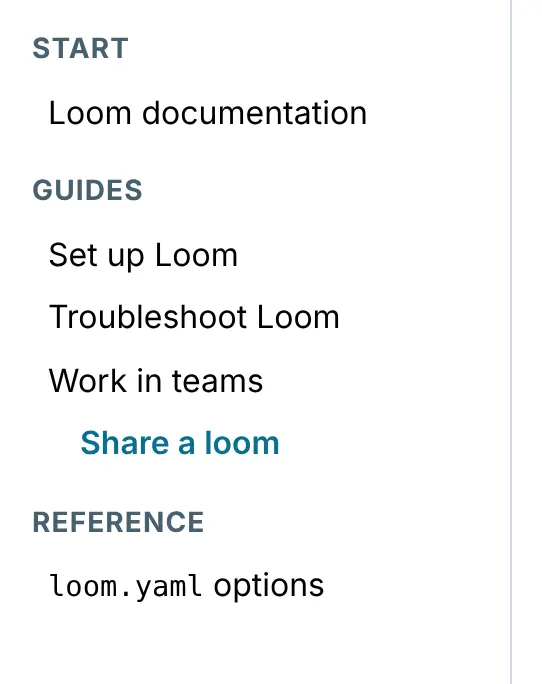
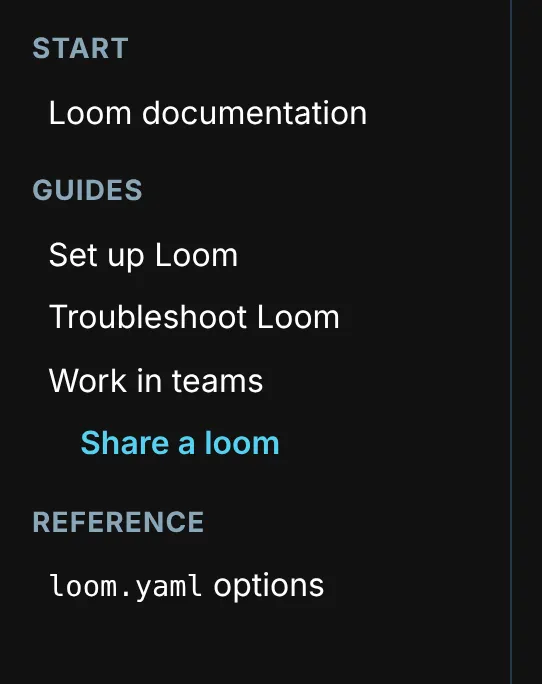
At root no section is placed by a page: a top section’s page beside its folder, such as guides.md for guides/, is in root‘s pages too, but the section comes in sections’ order, after root’s pages, as the other top sections do, and a reader that draws a sidebar’s groups leaves that page out of root‘s. A nested section whose page isn’t in the parent’s pages, one with an index.md or none, comes after the parent’s pages. Below root, sections lists the ones placed by a page first, in their pages’ order, then the rest, so a reader that draws pages and then sections keeps the order, and one that interleaves them places each where its page is.
3. Reading order
The pages in reading order are a section’s page, then its pages, each followed by the nested section it places, then the nested sections no page places, from root, depth first, each page once. At root, a page that’s a top section’s page is read with that section: root’s page and its other pages come first, then each of its sections from its page, so the order is a sidebar’s groups read one after another. It’s the order of previous and next in neighbors() and in an archive.
4. What a reader can rely on
- Every
sourceis a page the build publishes, that isn’tunlisted, and has a record inpages.json. A page is in the file once, but for the page beside a nested folder, which is in its parent’spagesand is the nested section’spage. - The file is the same text for the same project and build on every platform.
- A later version may add keys; it doesn’t change these.